Food suppliers: how to choose, and why a shared base
A price on a list and a pleasant sales rep tell you nothing about a supplier. The one sign that cannot be faked is whether other kitchens keep coming back. Here is how you can see that in the shared database.
How suppliers usually get chosen
By the price on the list, and by how the sales rep talks. Both signs lie. The price on the list is the price of the first delivery; after that it changes. And a rep who is pleasant on the phone has nothing to do with the state the salad leaves arrive in on Friday.
There is one sign that cannot be faked: whether other kitchens keep coming back to that supplier. Not "left a review", not "gave five stars", but carry on buying month after month, with their own money.
The shared database: who the kitchens nearby buy from
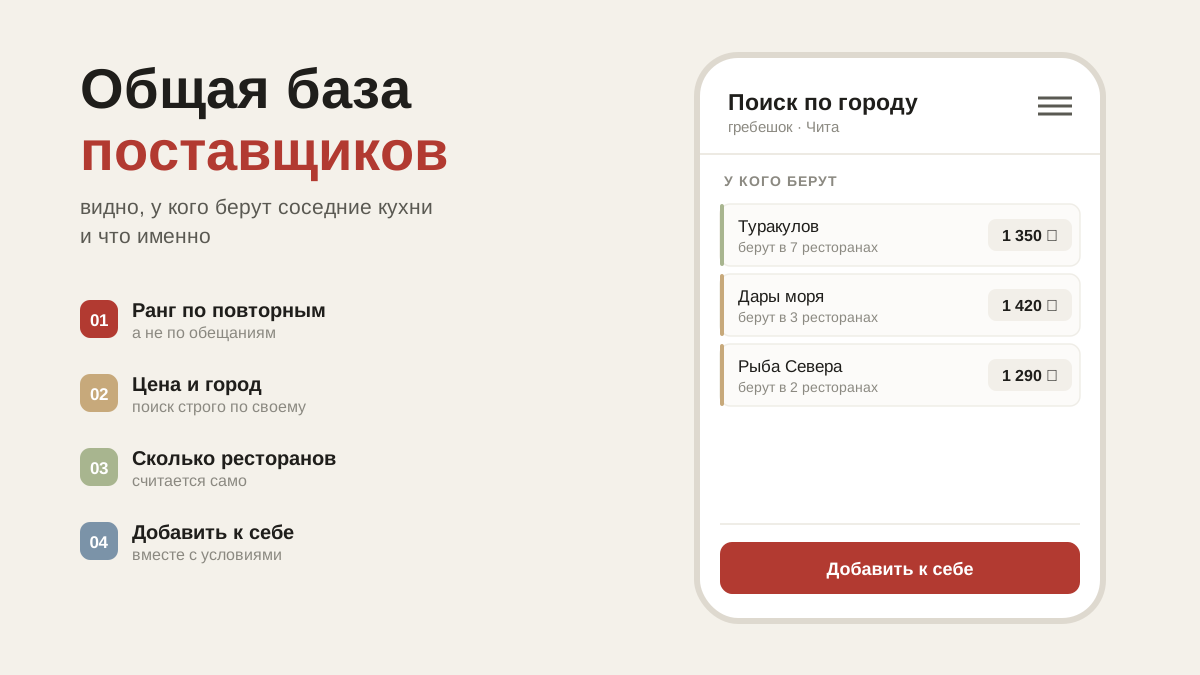
In artelFood suppliers are visible to every restaurant in the city, not only to those who already work with them. That is exactly the point: you can see who your neighbours buy from and what they take.
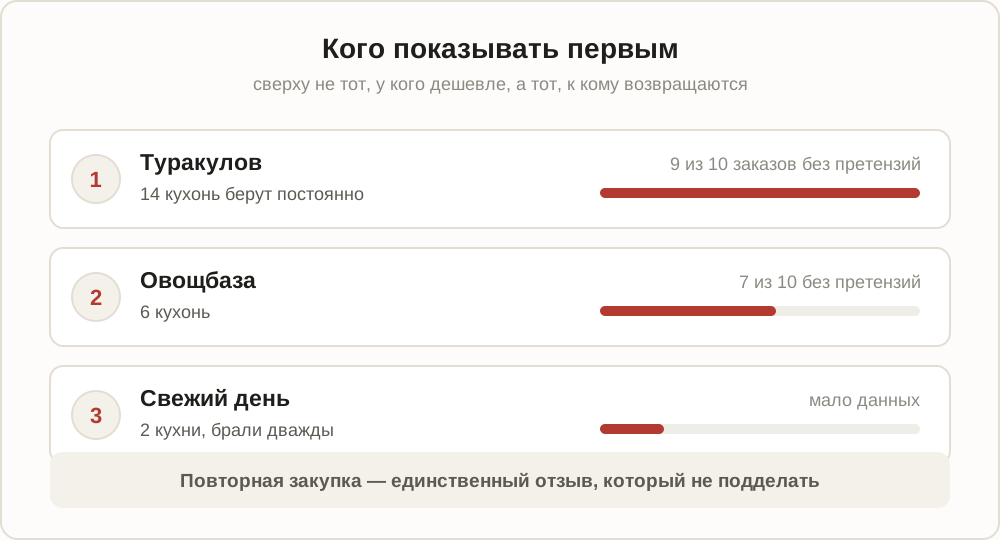
The ranking goes by repeat purchases, not by price and not by promises. A supplier that fourteen kitchens came back to stands above one who quoted ten per cent lower and disappeared within a month.
This is the most useful thing in the app, and it will stay free: the more kitchens there are in the database, the more clearly you can see who is worth what.
How to add a supplier
The "Add supplier" button at the bottom of the section. From there, two cases:
- He is already in the system — add the existing one. His card comes with him: phone number, minimum order, delivery days, order cut-off time. And his price list, if he has published one.
- He isn't there — create a new one. Fill in what you know; the rest will be added later, including by the supplier himself once he registers.
The card has a "Range" section — the goods that you in particular take from him. There are hints there too: what other kitchens order from this supplier. It often turns out he delivers half of what you drive out for yourself.
When a supplier joins the app himself
Suppliers register and run their own account. If yours has registered, a yellow strip appears under him in the list: "Awaiting your confirmation".
Until you confirm, he sees neither your orders nor your prices. That is a safeguard: a tax number is a public number, and without confirmation it could be used to read someone else's purchasing. Tap "Yes, this is our supplier" — and orders will start going to him straight into the app: he will confirm the day, name a delivery time and mark what he won't be bringing.
The "No, not ours" button closes the question — the strip won't come back. You can change your mind on his card, and that is also where confirmation is withdrawn: "Revoke his access".
How to tell it's time to change supplier
Not by a feeling that "he's been a bit off lately", but by three things you can see in the app:
- Damage claims. If every second delivery comes with a return, a cheap price is no longer cheap — damage is counted separately from write-offs precisely for this.
- Shortages. Five "won't be bringing it" items a week means the menu gets reworked on the fly every time.
- Price against the city. The city price lists show what the same carrots cost elsewhere, and straight away — how much you are overpaying.
Common questions
I don't want others seeing my prices. They won't. The shared database shows who buys from whom, but your purchase prices stay yours. The city price lists show supplier prices — the ones they publish themselves.
One product from two suppliers. A normal situation: there is one item, and its supplier is whoever you buy from now. It is changed with one tap, right inside the order.
My supplier doesn't want to join the app. Nothing changes: orders go out via Telegram or by copying into WhatsApp, and receiving and statistics work as usual.
What's next
On prices specifically: supplier price lists and comparing them with your own.