Supplier price lists and comparing them with your own prices
Ask a chef what a kilo of carrots costs and the answer will be approximate. How to see the price lists of suppliers across the city, and your own difference on every item.
Why a kitchen doesn't know its own prices
Ask a chef what a kilo of carrots costs right now. In half of all restaurants the answer will be "oh, about forty roubles" — accurate to within twenty per cent either way. Not because the chef is bad, but because the price lives on delivery notes, the notes are with accounting, and purchasing runs on habit.
Then the usual thing happens: the supplier puts the price up by eight roubles, the kitchen pays and doesn't notice. It gets noticed a quarter later, when the food cost is totted up — and by then it's unclear where exactly it slipped.
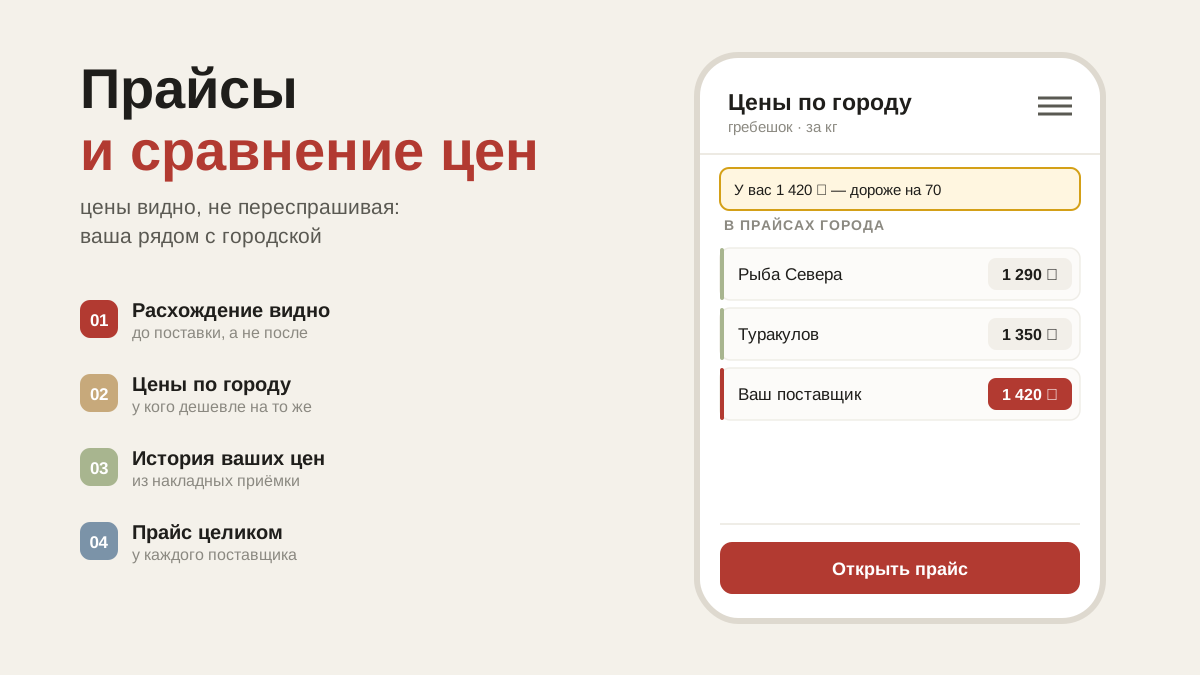
A supplier's price list in the app
The supplier publishes his own price list, and kitchens can see the prices without asking. To look: "Suppliers" → "Supplier price lists in the city", or the "Price list" button on a particular supplier's card. You can see the date the prices are valid for, and there is a search by name.
The city list also includes suppliers you don't work with yet. That is most useful when you need to find who can supply something your current one doesn't carry.
Comparing with your prices
The important part here isn't the price list itself, but the fact that your price stands next to his.
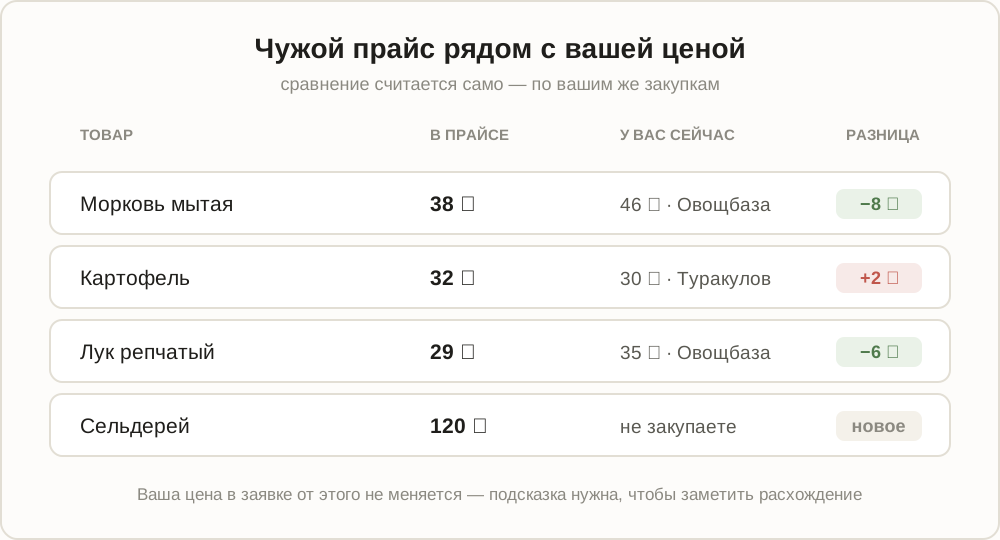
Under each item it says what you pay for it now and to whom: "you pay 210 ₽ · Turakulov · −30 ₽". Green where his is cheaper, red where it's dearer. At the top, a summary: how many items matched, on how many he works out better, and how much you would save across the whole volume.
Your own price is taken from your purchases. If there haven't been any for an item yet — from the price list of the supplier it is currently assigned to. Goods you don't buy are shown without a comparison: that is simply a new offer.
Like what you see — the "Add supplier" button is right there, and he appears in your list with his range.
A hint inside the order itself
When a price from a price list matches an item on your order, a note appears under the line: "on the price list: such-and-such".
Your price doesn't change because of it. The order is calculated with your own price, from your purchase history. The hint is there for exactly one thing: to notice a discrepancy before the delivery rather than after. If the list says 38 and you're paying 46, this is the moment to ask why.
Search sees the price lists
The search button in an order looks through the whole database — both what restaurants buy and supplier price lists. An item a supplier carries but nobody has ordered yet is marked "from price list" and shown with its price.
What people buy more often still comes first: the list is ranked by purchases, not by price. A cheap item that nobody buys a second time is a poor recommendation.
Common questions
My supplier has no price list in the app. Then there is nothing to compare against — ask him to publish one. It is in his interest: the price list is seen by kitchens across the city, including those he doesn't work with yet.
The price on the list isn't the one on the delivery note. It happens: the list is the quoted price, the note is the actual one. That discrepancy is precisely what's worth a conversation, and now you can see it.
The price list is out of date. The valid-from date sits next to the prices. If it is a month old, treat the figures as a rough guide.
What's next
Prices are half the story; the other half is whether the goods arrive in decent condition. That is receiving with shortages and damage.