Ordering from a supplier: build it walking the storeroom
An order made from memory always loses something. Here is a different way round: you walk your own shelves with a phone, and the app sorts what you picked by supplier and works out how far you are from each minimum.
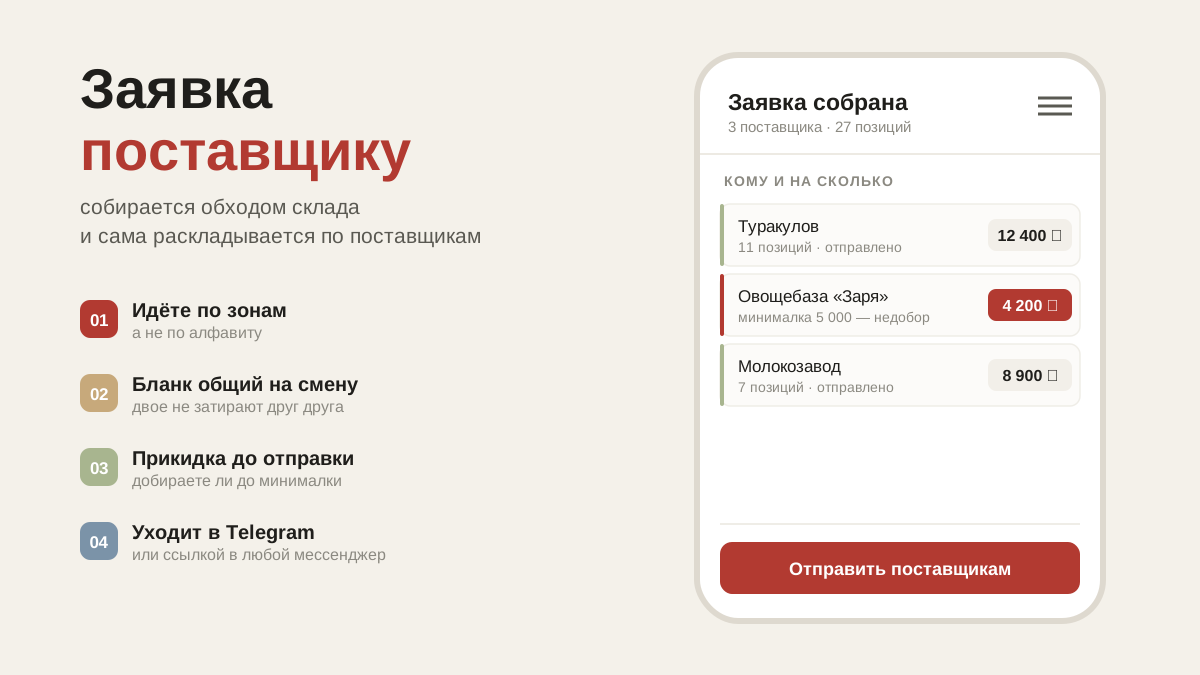
How an order usually gets made
In the evening the chef sits down and messages the supplier on WhatsApp: "carrots 10, potatoes 20, cream 6". He writes from memory, because there isn't much to look at. In the morning the delivery arrives, and it turns out the parsley was forgotten and twice as much sugar was ordered, because nobody looked in the cupboard.
The reason is not sloppiness. Memory simply doesn't work as a list: what stays in your head is what ran out in front of you, not what sits quietly in the far corner of the freezer. Something else does work — going and looking.
An order as a walk through the storeroom
The rule is simple: route first, order second. You take your phone and walk the kitchen your usual way — fridge by the sink, freezer, dry store, bar. In each area the screen shows only what is kept there. You look at the shelf, look at the phone, enter the quantity.
This is what storage areas from the matrix are for: the list runs neither alphabetically nor by the supplier's categories, but in the order of your walk. Nothing is forgotten, because you are physically standing in front of every shelf.
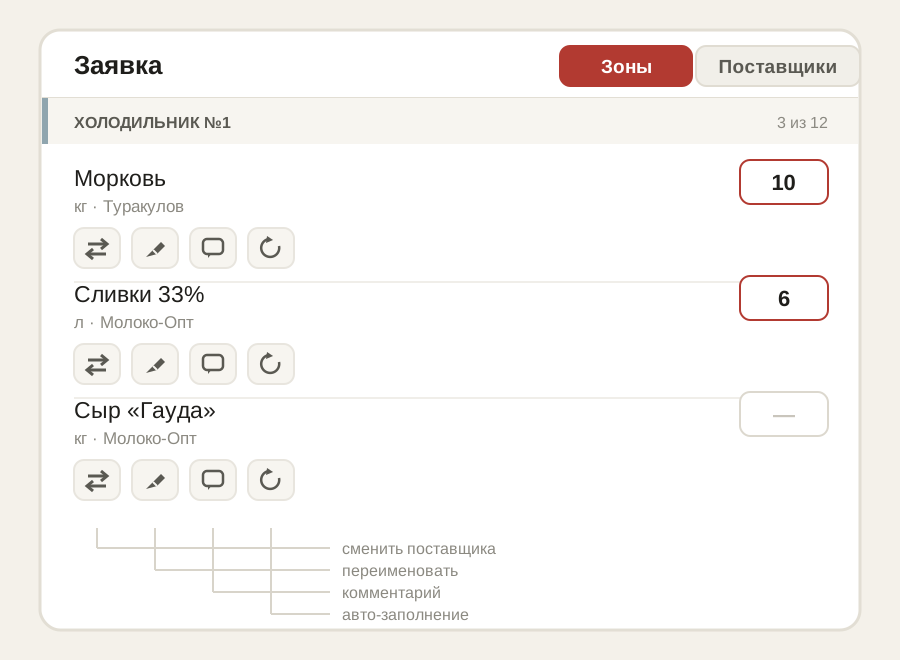
Each item has four buttons. They cover almost every case that used to mean sending the supplier a separate message:
- Change supplier — today we're taking carrots not from the usual one but from the second. One tap, and the price history is kept.
- Rename or split — if an item isn't called what you'd call it, or one item needs to become two (smooth and ridged cucumbers are different goods).
- Comment — a one-off note on an item: "ripe", "sliced", "no smaller than 5 cm". It goes out with the order and doesn't stay on the list forever.
- Auto-fill — if you take the same quantity every Tuesday, set it once and it will be filled in for you.
One walk, several orders
You go through the storeroom once, and you end up with as many orders as you have suppliers. The app sorts what you picked between the people who deliver it.
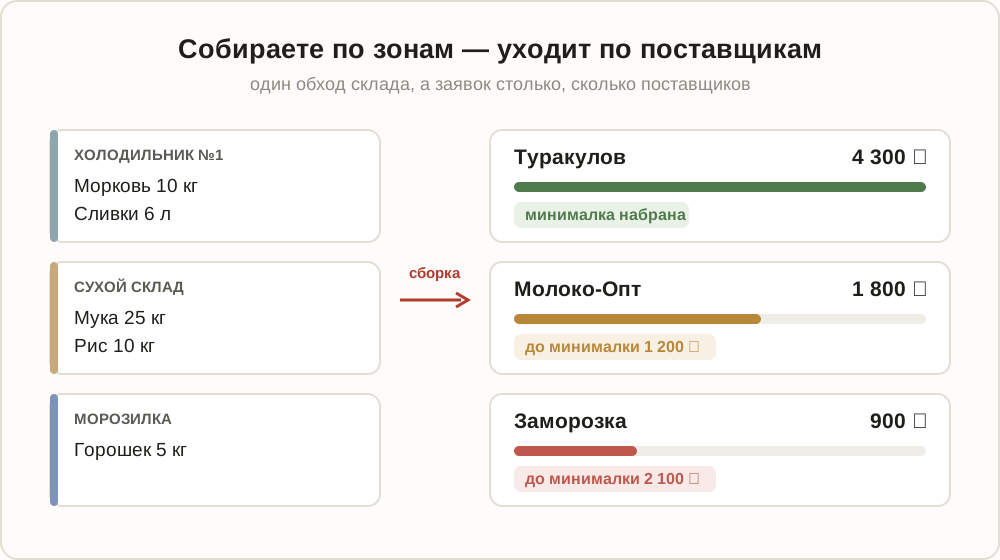
This is also where you see the things that usually lead to awkward conversations with a supplier:
- How much you've picked from each one — approximately, based on your past purchases.
- How far you are from the minimum order. A supplier you're short with moves to the top: better to add to the order now than to hear "I don't deliver for less than two thousand" at eight in the morning.
- How far from free delivery — sometimes adding a bit is cheaper than paying for the trip.
- Until when he accepts orders. Sending an order at 23:40 to a supplier who closes at 18:00 is a day lost.
The totals in an order are an estimate based on your own past purchases, not an invoice from the supplier. If some items have no price yet, there is a "≈" next to it and a note that the total is incomplete. The exact figure comes from the supplier.
How to send it
Two ways, and both keep working:
- Via Telegram — if the group with the supplier is connected, the order goes there as a list, with date buttons underneath it. The supplier taps a date, and in receiving the order turns green. More about this in the article about the Telegram bot.
- By copying — the "Copy for WhatsApp" button turns the order into plain text. Paste it into any messenger, or send it as a text message.
Until the supplier confirms the order, it is marked in red: "awaiting confirmation". That is not decoration: red in the evening means nobody may turn up in the morning.
Common questions
The item isn't on the list — what now. Tap search: it looks through the whole database, including supplier price lists. Found it — added it, and it takes its place on your list. If you don't work with that supplier yet, the item goes into "Awaiting confirmation" and won't appear on the order form until you confirm it.
The order didn't send because there's no signal. What you picked stays as a draft on the phone — reception is poor in a freezer, and the app allows for that. Step over to a window and the order goes.
Someone else put the order together. That's how it should be: one person builds the order, and whoever is on shift receives the delivery. There's an article about that: the kitchen team.
What's next
The order has gone, the supplier has confirmed. The next step is receiving: shortages, damaged goods and claims.