The Telegram bot: orders, confirmations and reminders
Sending an order to a messenger is easy — the hard part is knowing whether the supplier saw it. How to have him confirm the day with one tap, and see it on your side straight away.
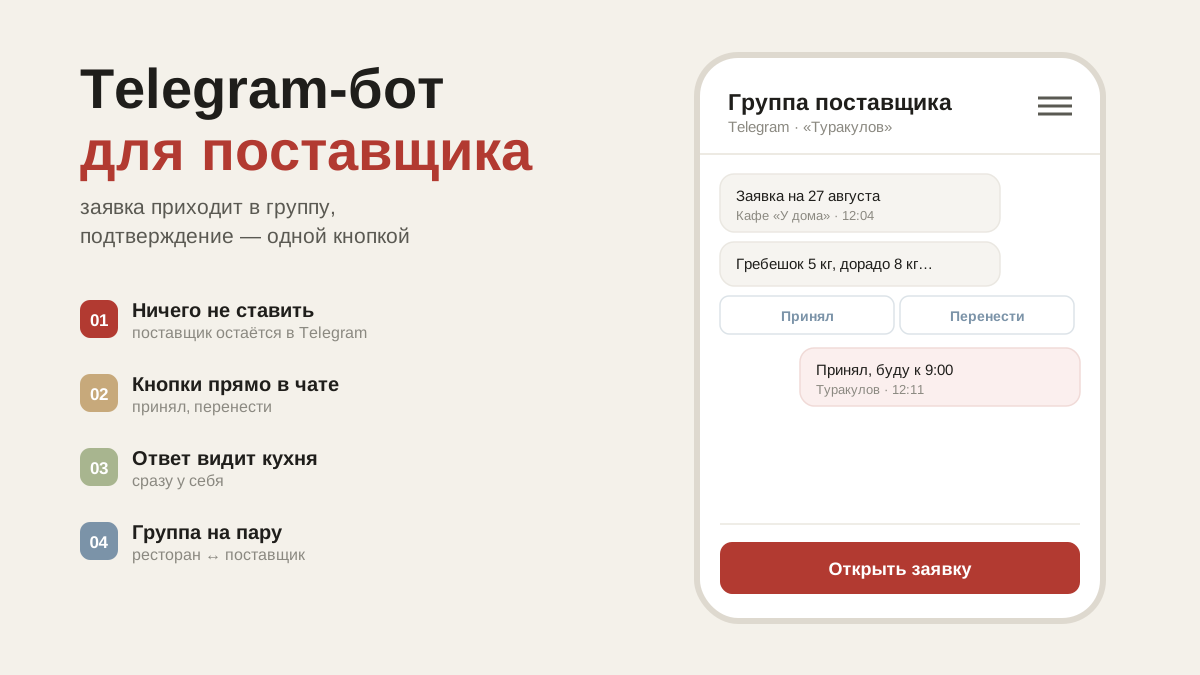
Why a bot if there's WhatsApp
An order can be copied and sent to any messenger — that way hasn't gone anywhere and always works. But it has a weak spot: you don't know whether the supplier saw the message or whether he'll deliver tomorrow. You end up ringing to ask again.
The bot closes exactly that: the supplier taps a button with a date, and you see the confirmation on your side immediately.
How to connect it — once per supplier
- Create a Telegram group with that supplier, if there isn't one already.
- Add the bot @artelFood_bot to it.
- Open the supplier's card and tap "Link group" — a short code appears.
- Send that code in the group as a single message.
- Tap "Check" — the bot will reply in the group to say it is linked.
The code is there so the app knows whose group it is: orders go to yours, and another restaurant won't see it. The code is single-use and only works for the supplier you took it from.
How to send, and what the supplier sees
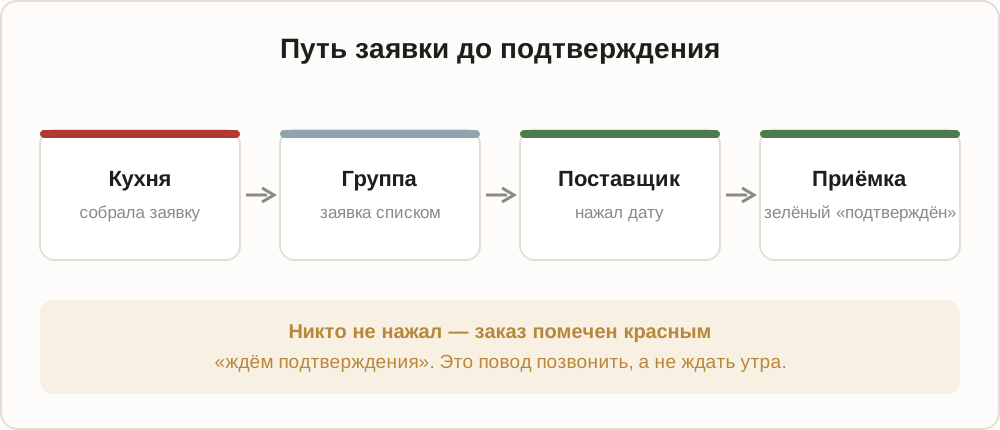
You've built an order — you tap "Send". The order arrives in the group as a list, with date buttons underneath it.
The supplier taps the date he wants. The message changes to "Delivering on 22.07", and in receiving the order turns green: "confirmed". Until somebody taps, the order is marked red, "awaiting confirmation" — and that is a reason to call rather than wait.
Reminders for the supplier
Agreed he'd send the delivery notes? Owes you a kilo of potatoes? Need a gas cylinder added to the next delivery? Write it on the supplier's card — a shared to-do list appears.
Menu → "Reminders": a list of your suppliers, each showing how many open items there are. If Telegram is connected, the same list hangs as a pinned message in the group — the supplier can always see what is outstanding and can tick an item off himself. As soon as somebody ticks it, the item disappears for both sides.
This is noticeably calmer than reminding people out loud every week: the list exists, it is shared, and nobody looks like a nag.
Common questions
The supplier isn't on Telegram. The "Copy for WhatsApp" button works: the order becomes text and you paste it wherever you like.
The bot doesn't answer in the group. Check that it has actually been added to the group (not merely mentioned) and that the code was sent as one message, with no extra characters.
The supplier registered in the app. Then the bot isn't required: orders reach his account, where he confirms the day, names a delivery time and marks what he won't be bringing. See the article about suppliers.