The kitchen team and working across several restaurants
One person builds the order, whoever is on shift receives the delivery. How access works, how invitation links work, and how to work in several venues at once.
One person orders, another receives
This is the normal order of things, not a mess. The sous chef built the order in the evening; whoever came on shift received the delivery in the morning. The trouble starts when the information about the order lives on the sous chef's personal phone — then the person receiving doesn't know what was ordered or at what price.
That is why in the app orders, deliveries and suppliers belong to the restaurant, not to a person. Anyone on the team can see what was ordered and what to expect.
Who can do what
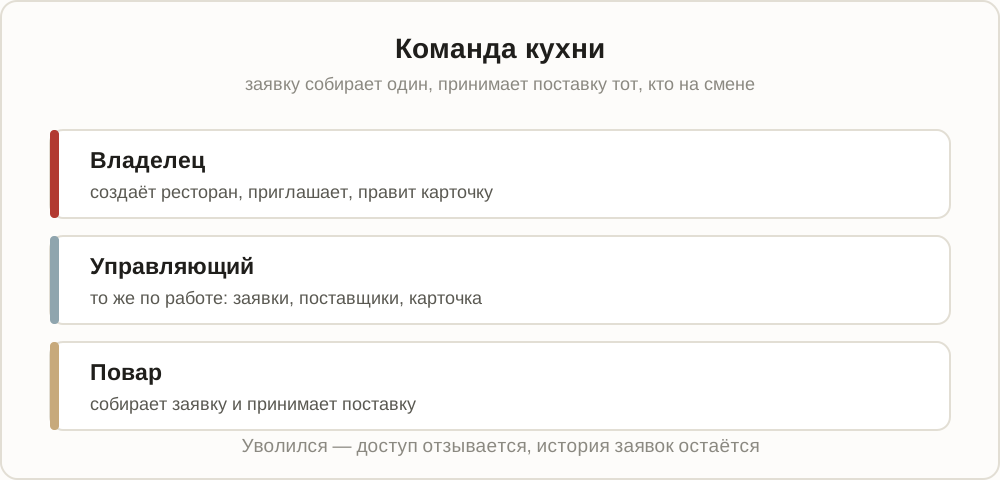
Someone leaves — access is revoked, and the order history stays with the restaurant. That matters: what goes is the person, not six months of your purchasing statistics.
How to invite a member of staff
Menu → open your restaurant with the arrow → "Team". Two ways:
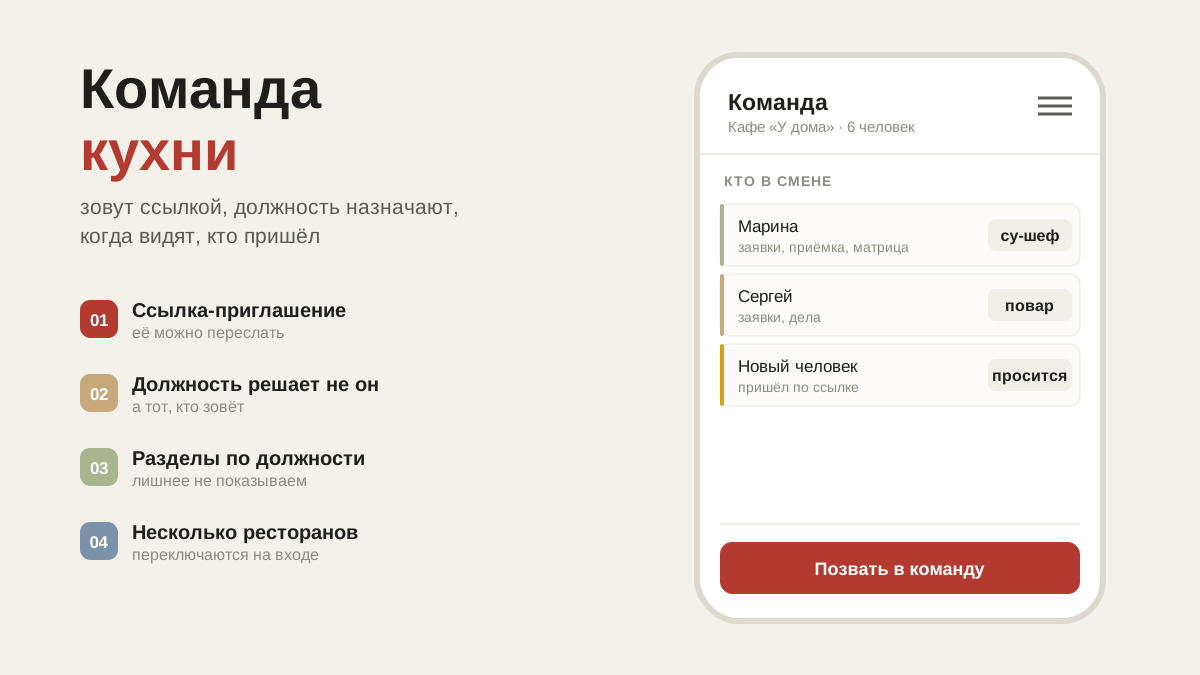
- By link. Send it anywhere — WhatsApp, Telegram. The person opens the link, signs in and lands straight in the restaurant in the role you chose.
- They apply themselves. They find the restaurant through "Join a restaurant", and you see them under "Awaiting confirmation" — accept or decline.
If someone asks to join your restaurant, a counter lights up next to its name in the menu, and the team button shows how many people are waiting.
Several restaurants
If you work in more than one place, add the second through menu → "Add restaurant". All your restaurants are listed in the menu: tapping switches between them, the arrow on the right opens "Restaurant card" and "Team".
The data doesn't mix. Each restaurant has its own goods, suppliers, orders and debts. The only thing in common is you.
The restaurant card: what the supplier sees
Name, legal entity and tax number for paperwork, delivery address, receiving hours and who meets the van. Anyone on the team can look; the owner and the manager can change it.
You can list several people to meet deliveries. Each with their own name, phone and a note about when: "before 14:00", "after lunch", "entrance from the yard". Shifts change, and the driver needs whoever is actually there — the supplier sees the whole list and calls the right person straight from the app.
Your profile
Name, role, restaurant. Date of birth is optional: if you add it, colleagues get a reminder two weeks ahead, and the year of birth is shown to nobody.
A shared tablet in the kitchen
The sign-in screen has a "Remember me" tick, and it is on by default. If the tablet is shared and the whole shift uses it, turn it off: then the session ends as soon as the browser is closed, and the next person won't land in someone else's account.
What's next
Notifications for the team are covered in the article on installing on a phone. How an order reaches the supplier is covered in the article on the Telegram bot.