The order thread: agreements don't get lost
A month later, a general chat with a supplier tells you nothing about what was agreed on a particular delivery. That is why every order has its own thread.
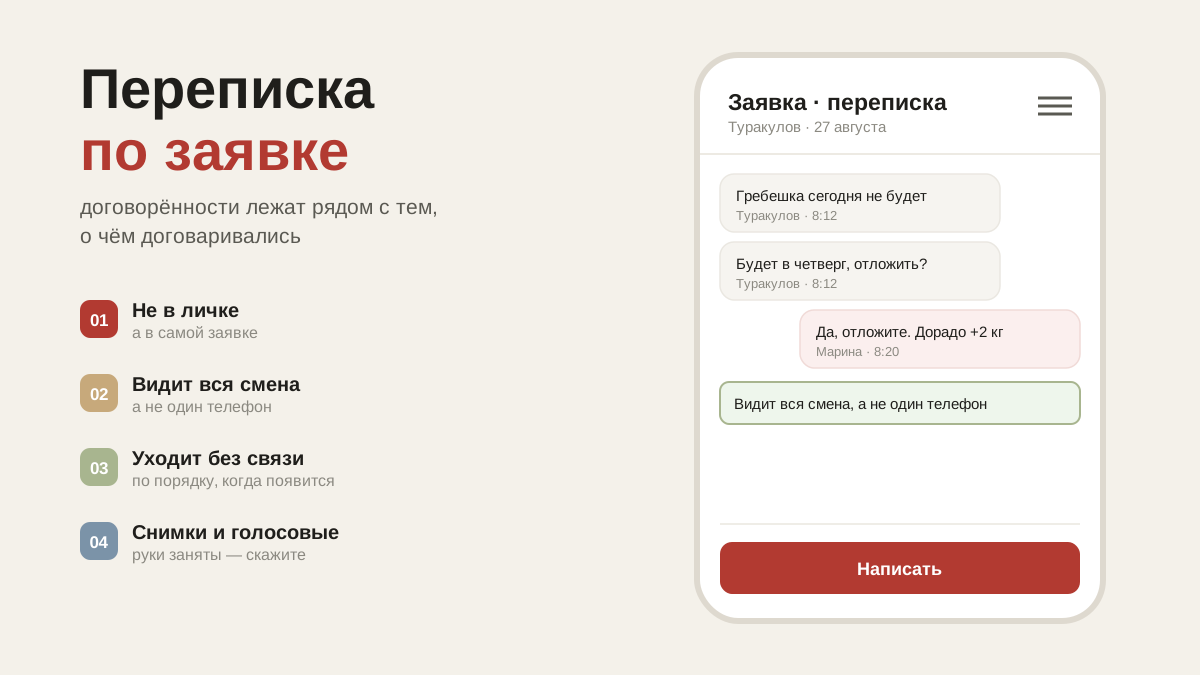
The trouble with one general chat
With a supplier there is usually one chat for all deliveries. Everything is mixed into it: orders, "could you come at ten tomorrow", photos of delivery notes, holiday greetings. A month later it is impossible to find what was agreed on a particular order.
And agreements matter precisely per order: "no slicing this time", "we'll swap the salad for another one", "we'll bring the two extra boxes on Friday".
The thread is attached to the order
Every order has its own thread. Open the order in receiving — there is a message field under the contents. The conversation stays with that delivery: a month later you can see what was agreed and on which order.
The supplier sees the messages in his own account and replies there. When a new one arrives, a badge with the number of unread messages lights up on the order card, and the notification goes to the whole team — one person built the order, but the delivery is received by whoever is on shift.
Why this matters at receiving
The order thread is your evidence if there is a dispute. When damage or a shortage is discussed a week later, the conversation isn't "it seems to me" but a matter of record: here is the order, here is what was promised, here is what arrived.
If the supplier isn't in the app
A warning appears under the thread: he won't see the message, get in touch the usual way. The entries stay with you as notes on the delivery — useful too, but they won't reach the supplier.
How a supplier gets into the app is covered in the article about suppliers and the shared database.