The supplier account: signing in and filling in your card
Your side of the app: orders from restaurants, your price list, news and reminders. How to register, and why your order history is picked up by tax number.
What the supplier account is
This is your side of the app: orders from restaurants, your price list, news for the kitchens you work with, and reminders of what you were asked for. Kitchens and suppliers work in one app but see different things.
How to sign in
On the sign-in screen choose the "For suppliers" tab and register with a phone number and a password. Then state how you trade (a company, a sole trader, self-employed or a private individual) and your tax number.
By that tax number the app will find your card if restaurants have already added you — and the whole order history will come across to you. If there is no card, one will be created.
One account per person: if you also work in a kitchen, you don't need a second phone number — you choose which side to open the app on when you sign in.
My card: what kitchens see about you
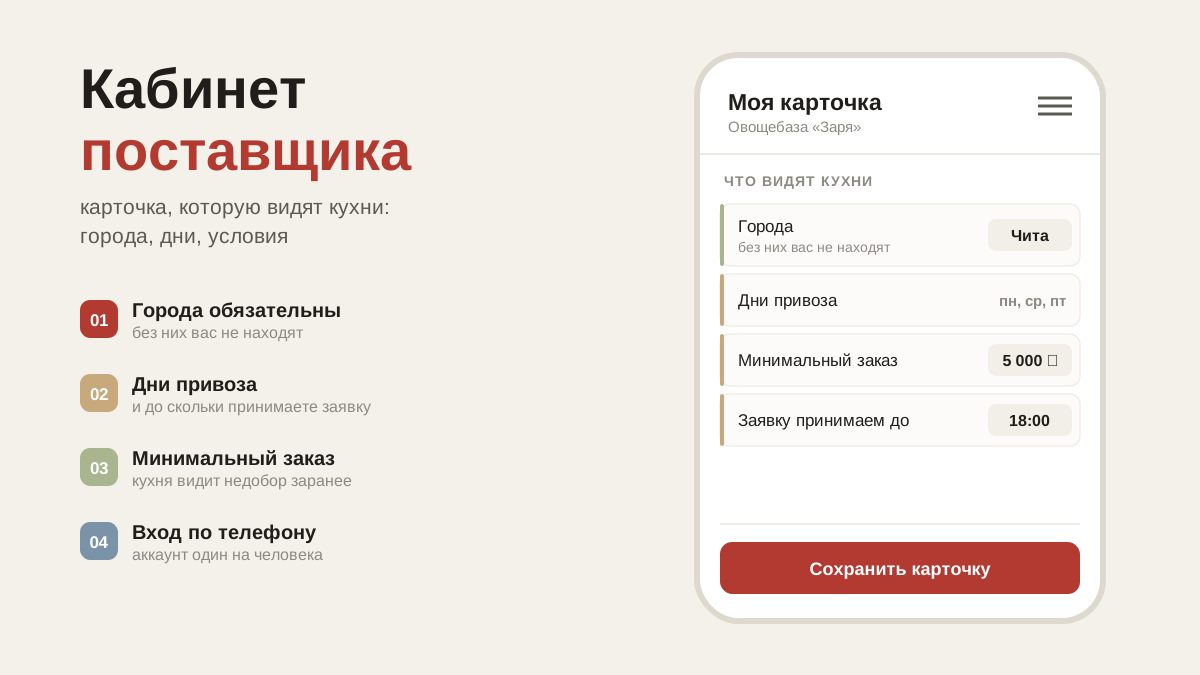
Menu → "My card". Name, how you trade, tax number, delivery cities, phone, minimum order, free delivery above a certain amount, delivery days and the cut-off time for orders.
These fields used to be filled in by restaurants on their side — each in their own way, and with mistakes. Now you edit them yourself, and everyone sees your edits.
Change your name with care: it is what you are known by in orders and in the shared database. You cannot take someone else's name. The tax number can only be edited while it is empty: your order history is tied to it — if you got it wrong, write to support.
Cities decide who will see your price list: restaurants in those cities will find you under "Supplier price lists in the city", even if you have never worked with them. This is effectively your shop window — more about the price list.
Sections of the account
The menu: "Awaiting reply", "Answered", "Restaurants", "My price list", "My news", "Reminders". On a computer the menu is always there; on a phone it opens with the button at the top left. Help, support and sign-out are in the same place.
What's next
The main thing in the account is orders from restaurants: how to confirm one, move the day and name a delivery time.